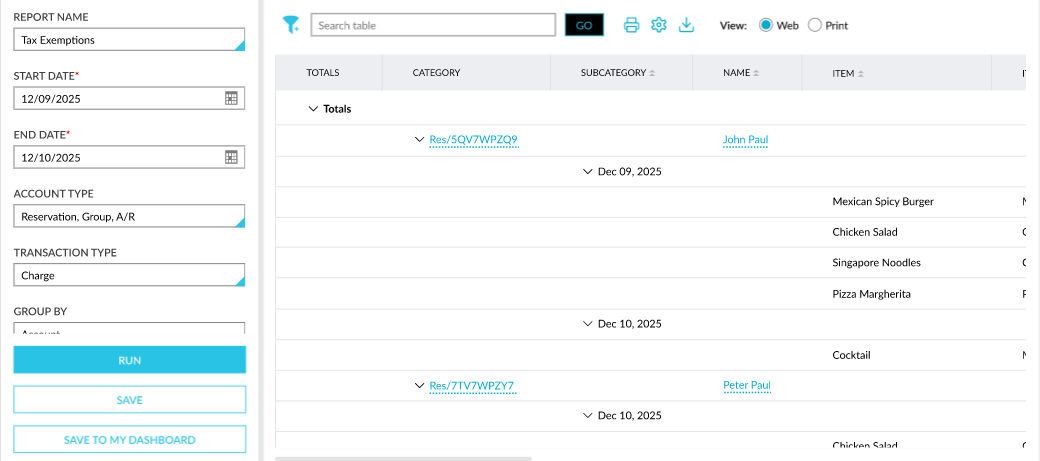
Tax Exemptions Report (Dynamic)
The Tax Exemptions report available in the Accounting section of the Reporting screen (Reports ➜ Dynamic Reports ➜ Accounting) allows users to track the tax amount exempted from accounts.
This report can be generated for the following report generation parameters:
|
Field |
Description |
|---|---|
|
Report Name |
Tax Exemptions. |
|
Start Date |
The start date from which the report must be generated. By default, the current property date is displayed. This is a mandatory field that allows users to select any date in the past up to the current property date. Future dates cannot be selected. |
|
End Date |
The end date up to which the report must be generated. By default, the current property date is displayed. The duration between the start and end dates can be a maximum of one month. This is a mandatory field that allows users to select any date in the past up to the current property date. Future dates cannot be selected. |
|
Account Type |
This is a multi-select drop-down list that allows users to select from the following account types to be included in the report:
|
|
Transaction Type |
This is a multi-select drop-down list that allows users to select from the following transaction types to be included in the report:
|
|
Group By |
This is a single-select drop-down list that allows users to select from the following options based on which the records must be grouped:
|
|
Include Item Details |
By default, the Item and Item Code columns are not displayed in the report. When this checkbox is selected, the item details are displayed in the mentioned columns. |